
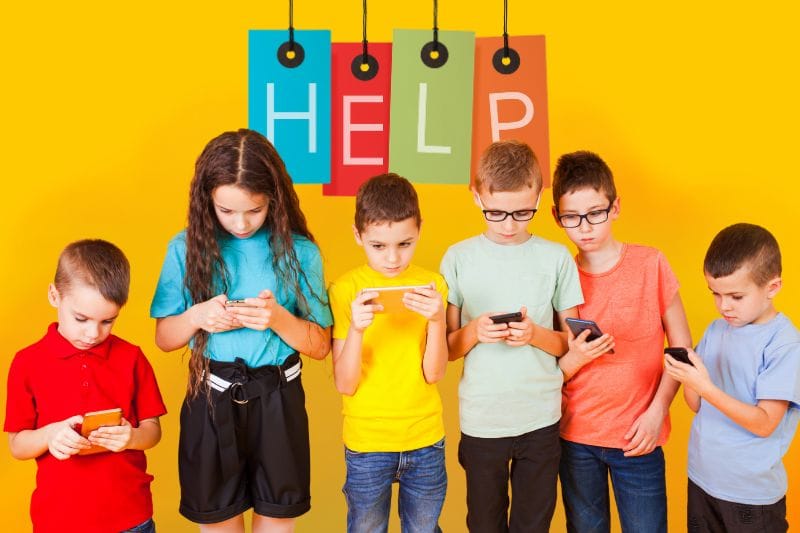
Essential Tips and Helpful Gadgets to Keep Your Tween or Teen Safe
Raising tweens and teens in today’s world comes with unique, ever-changing challenges. And with the holiday season all wrapped up, there may be new technology in your family’s hands. While the internet and evolving technology provide incredible opportunities for people of all ages, they also present risks that parents must navigate. When kids seem bored, it’s easy for helpful tech to turn into risky tech.

Fortunately, a combination of smart parenting strategies and the right tech tools can help ensure your child’s safety.
Concerned parents, here’s a useful guide outlining ways to keep your tweens and teens as secure as possible, both online and in the real world.
General Safety Tips for Parents
1. Encourage Open Communication
One of the most effective ways to keep your child safe is to establish trust and open lines of communication. [Yup, easier said than done, I know!] Repeatedly let them know (and show them) they can come to you with any concerns or questions about their safety and well-being. This could involve the internet, friendships, or an array of real-world situations.

2. Set Clear Boundaries
Establish (and enforce) rules regarding internet use, social media, curfews and other important family matters. Discuss age-appropriate behaviors and the consequences of breaking the rules that were put in place for his/her/their benefit.
While it’s extremely challenging to do, make sure your tween/teen understands the importance of balancing screen time with other (in-person) activities.
3. Monitor Social Media & Online Activity
Respecting your child’s privacy is understandable, but it’s crucial to stay aware of their online presence. Regularly check their friend lists, posts, and messages to ensure they are engaging with the right crowd and acting appropriately. Consider setting up parental controls or requiring them to keep their profiles private.
Growing research and organizations suggest waiting until your child is as old as possible before diving into social media.
4. Teach Digital Responsibility
Help your tween or teen understand the permanence of digital footprints. Explain how sharing personal information, photos, or inappropriate content online can have long-term consequences, including risks of cyberbullying, identity theft or reputational harm.
Parents can also discuss the importance of using secure passwords. It is imperative to enable a two-factor authentication process on devices.
5. Have a Safety Plan for Public Outings
When your tween/teen is out with friends, ensure they know how to (and are capable of) staying safe with good decision-making abilities. For example, teach them to stick to well-lit areas, avoid talking to strangers, stay with their friend group and have a plan for emergencies.
Encourage them to share their location with you and check in at regular intervals. Just as important as “stranger danger” is talking about weird behavior. Many times, people that we know can pose safety risks too, so help kids notice unsafe or weird behavior and let them know it is okay to call you and end an outing if something feels off.

Must-Have Safety Gadgets for Tweens and Teens
1. Mobile Tracking Apps
Apps like Find My iPhone, Life360 and Google Family Link allow parents to keep tabs on their child’s location in real-time. These tools are a gamechanger for worried parents like myself! These apps also let you set location alerts so you know when your child arrives or leaves a specific area.
2. Smartwatches with GPS Tracking
For younger tweens who may not have a smartphone, smartwatches like the FitBit Ace LTE, Garmen Bounce, GizmoWatch, TickTalk Kids Smart Watch or AngelSense GPS Tracker provide real-time location tracking, calling features and emergency SOS buttons.
For younger kiddos, Apple AirTags can work well. These small tracking devices can be attached to pockets, jackets, shoes, backpacks, etc. The Apple AirTag syncs with a parent’s iPhone through the Find My app.
3. Parental Control Apps
Apps like Bark, Qustodio, and Norton Family help parents monitor social media activity, filter inappropriate content and set screen time limits. These apps can provide insights into your teen’s online habits.
4. Personal Safety Alarms
A small, portable safety alarm, such as the Birdie Personal Safety Alarm, can provide an extra layer of security. These devices emit a loud sound and flashing light when activated, deterring potential threats and attracting attention in an emergency.
As a mom to a runner, I think this option is especially valuable.
5. Encrypted Messaging Apps
To help your teen communicate safely, recommend encrypted messaging apps like Signal that offer privacy protections against data breaches and unauthorized access.
6. Screen Time Management Tools
Devices like Circle Home Plus or built-in smartphone features help parents set screen time limits, pause the internet and filter web content to ensure a healthier digital balance.
Healthy Habit Considerations
Parenting in the digital age requires a proactive approach to safety. By fostering open communication, setting clear guidelines and utilizing modern safety gadgets, parents can help create a safeguarded environment for their tweens and teens. Technology can be an ally rather than an enemy—when used wisely, it can enhance safety and peace of mind for both parents and children.
In addition to the safety considerations noted above, it’s important to keep in mind that the use of devices can cause physical strains, ranging from headaches to carpal tunnel syndrome. I can attest that my videogame loving kiddo has admitted to headaches and eye strain after lengthy screen times.
- Hands: Repetitive motions, like that done when using a game controller, can cause strain. Talk to your children about being mindful of (and stretching) fingers, hands and wrists.
- Back: Slouching can easily occur when using devices. Remind your kids to maintain an upright, neutral position. Chairs with back support are ideal and devices should be eye level.
- Eyes: Screen time can cause fatigue, blurry vision, dry eyes and headaches. Learn about positioning of screens (20 inches from the face), anti-reflective filters, etc. Frequent breaks are key.
- Ears: Tech experts says that 1-in-5 American teens already has hearing loss caused by extended exposure to loud sounds, including music. The volume level of devices is a constant battle in my house (and likely yours). Instead of earbuds, have your child try earphones that cover the ear so there’s less need to raise the volume to block out environmental sound.
- Brain: You’ve heard the term “brain break,” and there’s good reason to pause from continually stimulation. Not gonna lie… I still set timers and implement screen-free time.
Resources for Parents
Of course there are so many other safety concerns that we as parents have for our children. We worry about bike and e-bike safety, guns, alcohol/drugs, distracted driving and so much more. Parents, here is a list of resources to check out:
- Children Safety Village – This Orlando nonprofit strives to prevent youth injuries and fatalities through lifesaving education and first-hand experience.
- Safe Kids Worldwide – Parents may be familiar with the Orange County branch’s carseat safety checks, but the organization also focuses on tweens and teens through safety workshops and sports clinic.
- Common Sense Media – Among other resources, this website rates movies, TV shows, podcasts, books and so on to help parents feel confident about the entertainment choices they make for their kids.
With the right strategies and tools, you can empower your child to navigate the digital and real world safely while gaining the independence they crave.